 Cart Rocket
Send Instagram and TikTok Traffic Straight to a Full Cart
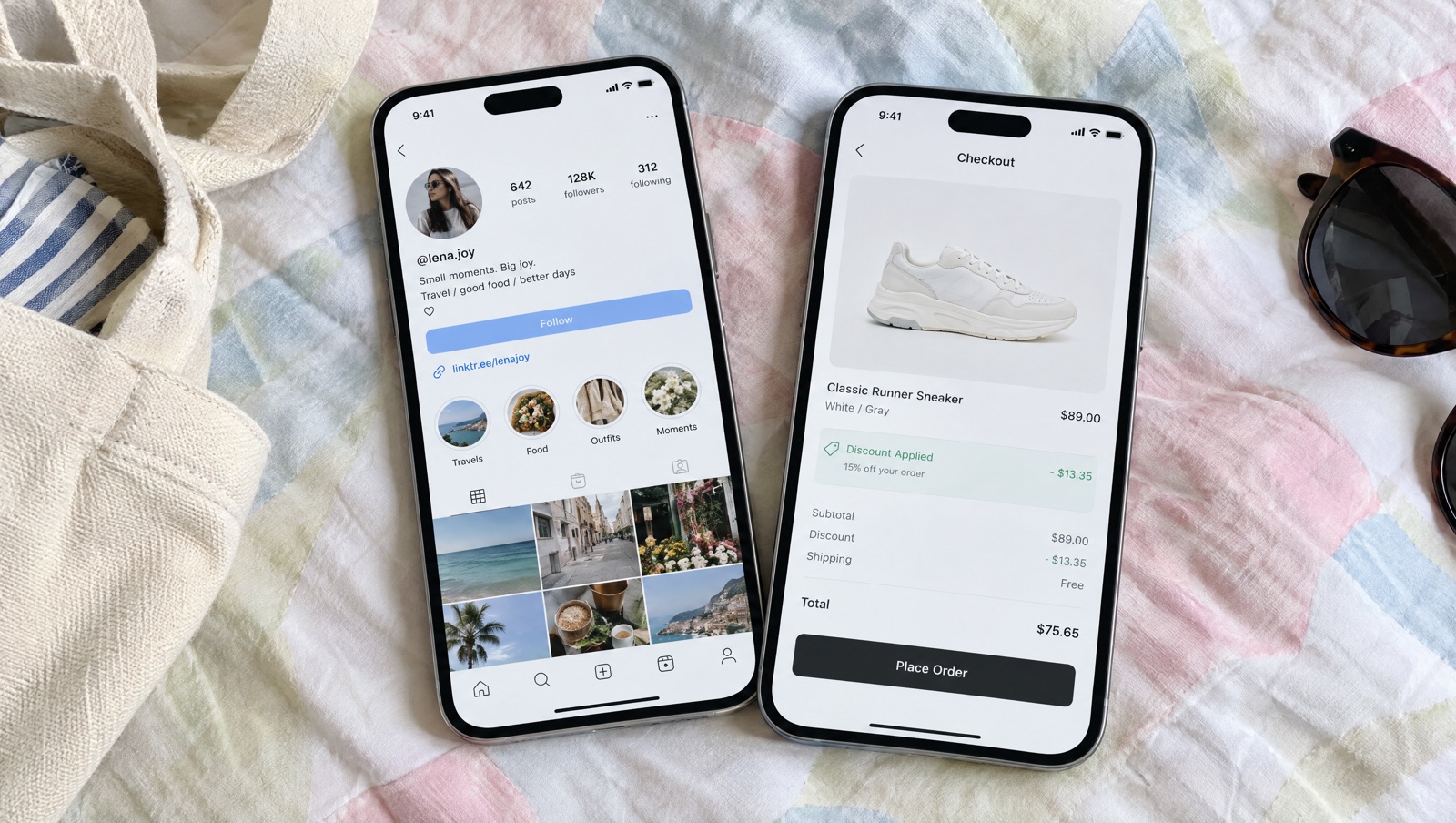
Someone taps a link in your bio or a story. If they land on your home page, they have to find the product from the video, pick a size and go to checkout on their own. A cart link puts the product, the discount and the checkout in that one tap, and UTMs tell you which post sent them.
Where social traffic drops off
Social shoppers arrive on a phone, in the middle of doing something else. They saw one product in a video, maybe in one colour, and the link is the only bridge from that video to your store. If it opens your home page or a collection, they have to find the product again, choose a variant, and possibly remember a code from the caption. Each of those steps loses people.
A cart link is one URL that loads the products you picked, applies the discount and sends the shopper to checkout, the cart page or Shop Pay, so their next step is paying.
Build one link for the post
- Click Create cart and choose Start from scratch, or Product launch if shoppers need to pick a size or colour. That template turns on the options page before checkout and fills in UTMs and the order tag
launch. - In Products, add exactly what's in the video. If the video shows a set, add it all, or make it a bundle at one price.
- Put the offer in Discounts. A cart-wide or line-item discount on the link means nobody has to type a code from the caption.
- Open Advanced, then Checkout options. Cart Rocket's docs list Shop Pay checkout as a good fit for creator traffic, Instagram and TikTok, so tick Use Shop Pay checkout. If the cart has several items and shoppers might want to review it, tick Redirect to cart instead of checkout in its place.
- Set the Link preview in the right column: an image, title and description shown when the link is pasted into a message or social app. People share links from stories in DMs, and a preview with the product photo looks better than a bare URL.
- Save, then click Copy link.
The link is short and on your own store's domain, like your-store.com/apps/cart/summer-kit. The last part is the link address, made from the cart's title. You can change it under Advanced and Link address to something readable, but do it before you post. Links shared with an old address stop working.
One link, a different UTM for each place
Bio links, story links and paid ads send very different shoppers. Someone tapping your bio chose to visit your profile, while an ad click came to you. If they all use the same plain link, Analytics lumps them together.
Cart Rocket supports utm_source, utm_medium, utm_campaign, utm_term and utm_content, and you can add your own query parameters. Set them in the Tracking section, or add them to the end of the link for each place you post it, like the example in the tracking docs:
https://your-store.com/apps/cart/summer-kit?utm_source=instagram&utm_medium=bio&utm_campaign=summer-kit
https://your-store.com/apps/cart/summer-kit?utm_source=instagram&utm_medium=story&utm_campaign=summer-kit
https://your-store.com/apps/cart/summer-kit?utm_source=tiktok&utm_medium=bio&utm_campaign=summer-kit
Pick a naming scheme and stick to it. Use lowercase and the same spelling every time, with utm_source for the platform and utm_medium for the placement. If one post says ig and the next says instagram, you'll be adding rows together by hand later.
For paid social, the docs' best practices are to use different UTMs for each ad set and a separate cart link for each campaign. A separate cart link also lets each campaign have its own products, discount and end date.
Creators posting for you
If creators post the link on their own accounts, give each one a code in the Creators section instead of building UTMs by hand. Their link is your cart link with ?ref= and their code on the end, orders are tagged for them, and the Creators tab in Analytics shows opens, orders and revenue per creator. Track influencer sales without relying on discount codes covers that setup.
Read the results
In Analytics, the Campaigns tab shows results by UTM source, medium and campaign, so the bio link and the story link sit side by side. Custom parameters you add have their own tab. The Checkout funnel tab goes from Link opened to Checkouts started to Checkouts completed, with the completion rate.
The docs note that a big drop between opening the link and starting checkout usually means the offer or products need another look, and a drop after checkout starts often points to shipping costs or payment. If your story link gets opens and no checkouts, the video may be promising something different from what's in the cart.
To see these orders in your Shopify admin too, turn on Tag orders in Tracking and add tags such as social-summer-kit. Tags go on the order and keep its existing tags.
Keep the bio link current
Bio links tend to stay up long after the post that went with them. A few habits help:
- Give a campaign link an end date under Active dates. After it passes, shoppers are sent to the product or home page with a short notice instead of an error.
- If the offer has a real deadline, add a countdown on the options page so story viewers see how long it lasts. Add a real countdown to your cart link offers walks through it.
- For the next campaign, duplicate the cart and change it rather than editing a link that's already out in old posts.
Before you post, open the link on your phone with Open under Cart link, and check the products, the discount and where it lands.
Try it on your store
Cart Rocket builds pre-loaded cart links for Shopify with automatic discounts, bundles, an options page with a countdown, order tags, UTM tracking and QR codes. Basic is $9/month for one cart link with every feature; Pro is $15/month for unlimited links. Both start with a 7-day free trial.
Install Cart Rocket →