 Cart Rocket
QR Codes That Add Several Products and a Discount to the Cart
Most QR codes in retail open a product page or a home page, and the shopper starts from there on a small screen. A cart link QR code opens a cart that already holds the products and the discount. This post covers where that helps, how it compares with Shopify's own QR options and how to set one up.
Where a full-cart QR code helps
A QR code is a shortcut from something physical to your store. It's most useful when the shopper already knows what they want and the code removes the searching. A few places where that's true:
- On packaging and inserts: the starter kit's insert can carry a code for the refill kit. The customer scans it when they run low and gets the refills in the cart with a returning-customer discount.
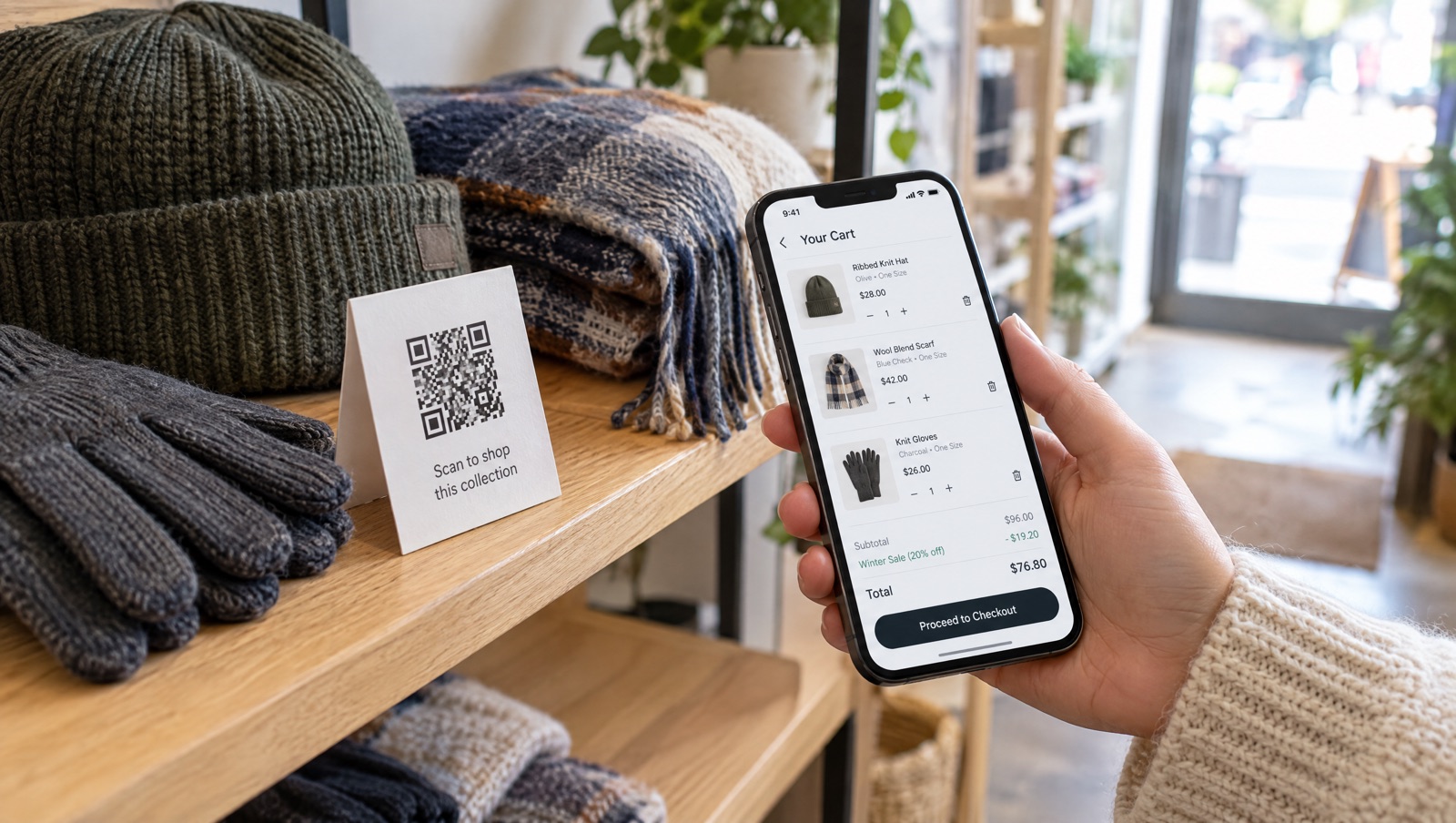
- On shelf signs and window displays: a display of a set (the jacket, the hat, the gloves) can carry one code that loads the whole set instead of one product.
- At events, markets and pop-ups: when you can't bring every size to the table, a code on the table card lets people order the set later at the event price.
- In print mailers and catalogues: each spread can point to the bundle on that page.
In each case the shopper is on a phone, often standing up, and every extra step (find the product, pick the variant, type a code) is a reason to put the phone away.
What Shopify gives you already
Shopify has two built-in ways to make QR codes, and for some stores they're enough. Both were checked on October 14, 2026.
Shopcodes
Shopcodes is a free app made by Shopify. According to Shopify's Shopcodes guide, each code is connected to one product. It can send scanners to that product's page or to checkout with the product in the cart, and you can attach a discount code only when you pick the checkout destination. You download a zip with a PNG for online use and an SVG for print, and the Shopcodes page shows scans and conversions for each code. If you change where a code points, codes you've already printed follow the new link.
Shareable discount links and QR codes
Any discount code in Shopify can be promoted with a shareable link or QR code. Shopify's discount code guide says the discount applies automatically to the shopper's next checkout, and the link can open your home page, a collection or a product page (only products or collections that are in active discounts). Each link or QR code carries one discount. Staff can also scan the same code in Shopify POS to apply the discount to a cart.
Where they stop
A Shopcode loads one product. A discount QR code applies one discount and opens a page, and the shopper still adds the products themselves. If the offer is a set of several products at a fixed price, neither one puts that set in the cart.
Where Shopify's options are stronger: they're free, Shopcodes gives you an SVG for print and per-code scan reports, and discount QR codes work at the POS counter. If your offer is one product, or one discount on anything in the store, start there.
What a cart link QR code does
A Cart Rocket cart link is one short link on your store's own domain that loads the products, variants and quantities you chose and applies the discounts. Its QR code opens the same cart as the link. On one cart link you can set:
- Several products with exact variants and quantities, or a bundle sold as one cart line at one price.
- Line-item, cart-wide and shipping discounts, and Shopify discount codes that apply on their own. These can be combined on one link. See Discounts.
- Where the scan lands: checkout (the default), the cart page or Shop Pay. See Checkout options.
- An options page before checkout in your theme, where the shopper picks a size or colour first.
Discounts on a cart link apply only to shoppers who check out through that link, so a shelf-card price doesn't show up for everyone browsing your store.
Set it up
- Click Create cart. The Bundle deal template is a good start for a set: it fills in UTMs, the order tag
bundle-dealand a 15% cart discount, which you can change. Or choose Start from scratch. - Give it a Title you'll recognise in Analytics, such as
shelf-winter-set. - In Products, add the items and set quantities. To sell them as one line at one price, choose Create bundle.
- In Discounts, add the offer if the bundle price doesn't already cover it.
- Open Advanced, then Checkout options, and tick Use Shop Pay checkout. Cart Rocket's docs suggest Shop Pay for packaging and retail codes, since every scan happens on a phone.
- If you want the link to have a nicer address, change the URL handle under Advanced and Link address now. The docs warn that links already shared with the old address stop working, and a printed code can't be updated.
- Save, then click QR code under Cart link in the right column. You get a preview and a high-resolution PNG to download.
Docs: Sharing & QR codes.
Things to decide before you print
One code per offer
Cart Rocket's best practices for QR codes and retail say to use one QR code per offer, so a Black Friday code isn't still being scanned in January. Print runs last longer than campaigns, so make the code's job match the life of the thing it's printed on. A code inside a box might be a standing refill offer, while a code on a holiday window sign belongs to a single campaign.
What happens after the offer ends
If you set an end date under Active dates, anyone who scans after it passes is sent to the product or home page with a short notice, instead of an error page. The same happens if you switch off Link active or the link reaches a purchase limit. For an event, that's a tidy way to close the event price when the weekend ends.
Telling placements apart
Each cart link has its own row under Cart links in Analytics, with orders and revenue, and the Checkout funnel tab shows link opens through to completed checkouts. If you want to compare the shelf sign with the packaging insert, give each one its own cart link (Pro allows unlimited links). Turn on Tag orders in Tracking as well, with tags like qr-shelf and qr-insert, so you can filter those orders in your Shopify admin.
Several brand partners or stockists
If several shops or partners stock the same set, the Creators section can give each one a code on the same cart link (?ref=), and the Their link column has a QR code for each. Analytics shows opens, orders and revenue per code. The creator links docs cover the setup.
Test it like a shopper
Print a test copy at the real size and scan it with a phone that isn't logged in to your admin. Check that the products, variants and discount are right and that the scan lands where you expect. Then try it on a second phone. If the cart is fixed-price and shouldn't change, Lock offer cart stops a changed cart from being paid for at the offer price. It doesn't work on carts with bundles, so use a cart-wide discount on separate lines if you need the lock.
Try it on your store
Cart Rocket builds pre-loaded cart links for Shopify with automatic discounts, bundles, an options page with a countdown, order tags, UTM tracking and QR codes. Basic is $9/month for one cart link with every feature; Pro is $15/month for unlimited links. Both start with a 7-day free trial.
Install Cart Rocket →