 Cart Rocket
Combine a Product Discount and Free Shipping in One Link
A common offer has two parts: something off the product and free shipping. Sometimes a third part joins them, such as 10% off the whole order. It's easiest for the shopper if all of it is already applied when the cart opens. Shopify can stack these discounts if each one is set up to allow it, and a native link has limits on how many it can carry. This post covers Shopify's rules, how to set up native codes, and how to put all three discounts on one Cart Rocket link.
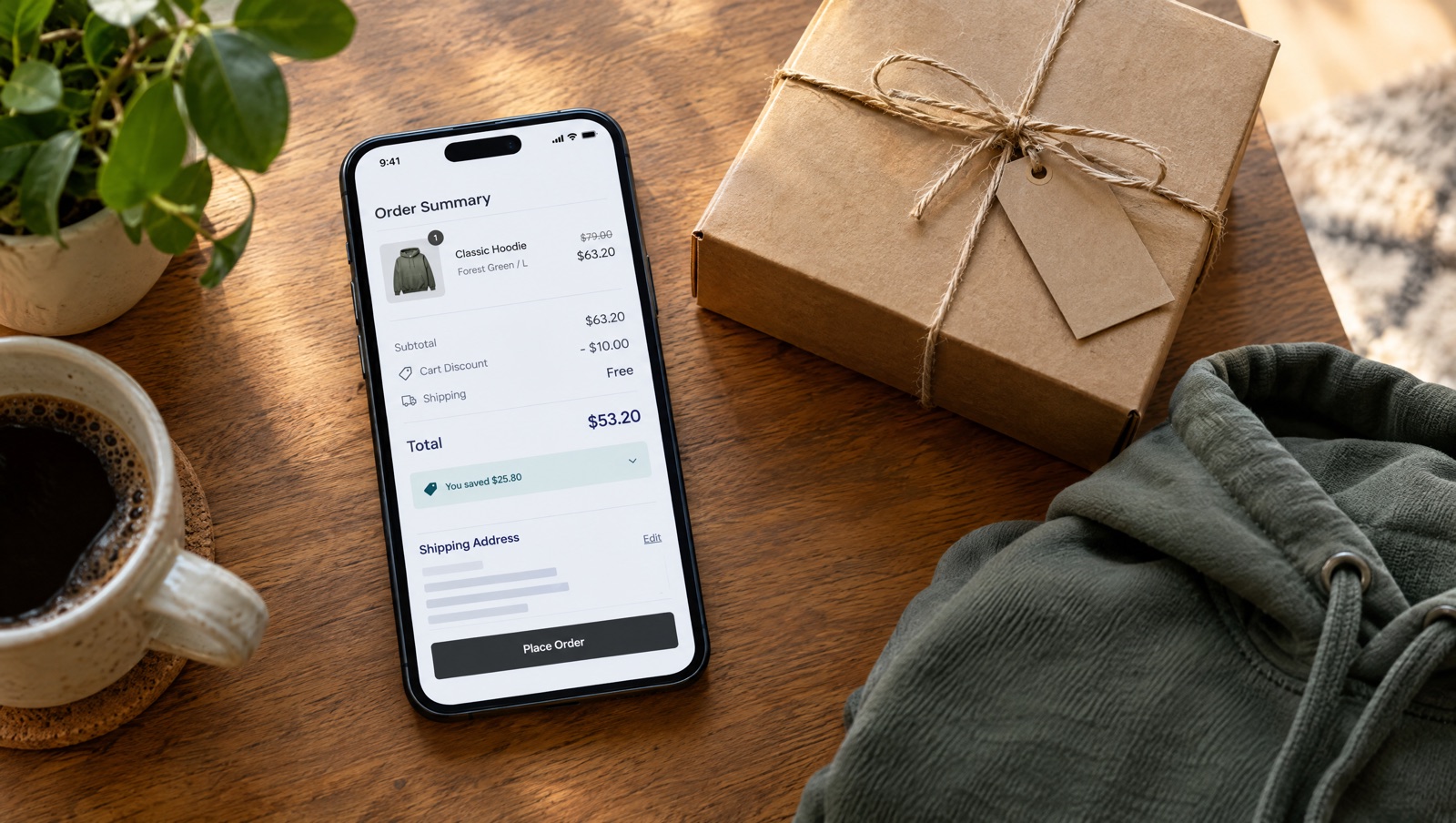
Shopify's three kinds of discount
Shopify sorts discounts into classes, and the class decides what a discount can stack with (Combining discounts):
- Product discounts take money off specific products.
- Order discounts take money off the subtotal.
- Shipping discounts make shipping free or cheaper.
When product and order discounts combine, Shopify applies the product discounts first and then applies the order discount to the subtotal.
Which combinations Shopify allows
From the Help Center page on combining discounts, checked October 14, 2026:
- Every store can combine a product discount with free shipping, an order discount with free shipping, and product discounts with each other when they're on separate items.
- A product discount with an order discount, or two order discounts, needs a store that doesn't use checkout.liquid customizations or the Licensify app.
- Two product discounts on the same line item need Shopify Plus.
- Two shipping discounts can't apply to the same order.
- Products in a Buy X get Y discount generally can't take further product discounts.
- Combinations work only on orders through the Online Store, the Storefront API and Shopify POS.
There's also a limit on codes: a customer can use at most 5 product or order discount codes and 1 shipping discount code on the same order.
Combining has to be allowed on both sides. Shopify applies several discounts to an order only when the setting on each discount allows the combination. If your product code allows shipping discounts but your free shipping code doesn't allow product discounts, they won't stack, and Shopify applies whichever one is better for the shopper.
Setting it up with native Shopify codes
Say the offer is 20% off a hoodie plus free shipping. Natively, that's two codes:
- Create an amount off code for the hoodie, such as
HOODIE20. In its Combinations section, tick shipping discounts. - Create a free shipping code, such as
SHIPFREE. In its Combinations section, tick product discounts. - Add an order discount for the cart-wide part if you want one, and tick the matching classes on all three codes. Your store has to meet the eligibility rule above for the product and order discounts to stack.
Next you need a link that carries both codes. A shareable discount link can't, because Shopify allows only a single discount per shareable link (Managing discount codes). A cart permalink can: the discount parameter takes several codes separated by commas, and the permalink adds the products too (Create cart permalinks).
https://your-store.myshopify.com/cart/VARIANT_ID:1?discount=HOODIE20,SHIPFREEKeep commas out of the codes themselves, since Shopify's docs say a code containing a comma can't be passed in that parameter. Each code still has to be active, and the cart still has to meet each code's minimums and eligibility. If the link opens and one discount is missing, Why your Shopify discount link isn't applying walks through the checks.
For one fixed offer, this works and costs nothing. It gets harder to manage as you add more offers, because each one needs its own set of codes with their combination boxes ticked, and the codes are visible in the URL for anyone to copy.
The same offer on one Cart Rocket link
Cart Rocket puts the discounts on the cart link, so you don't have to create a code for each part. According to the Discounts docs, line-item, cart-wide, shipping and Shopify code discounts can be combined on one link, and Cart Rocket applies them when the link opens, using Shopify's discount engine.
- Click Create cart and choose Start from scratch, or a template that's close, such as Bundle deal.
- In Products, add the hoodie and anything else in the offer, with variants and quantities.
- In Discounts, add a line-item discount of 20% on the hoodie. If the link adds more than one and you only want one discounted, set Max discounted quantity for this item.
- Add a shipping discount for free shipping. You can give it a minimum subtotal or a minimum number of items, or leave it open to everyone who uses the link.
- If you want money off the whole order too, add a cart-wide discount as a percentage or a fixed amount, again with an optional minimum.
- Save and copy the link from Cart link.
The shopper opens one link and sees the hoodie with all three discounts already applied, without typing a code. The discounts are stored on the server, and the docs note that editing the link's URL can't change its items or discounts, so a shopper can't turn 20% into 50% by editing the address.
You can still add Shopify codes to the same link under automatic discount codes, for example a code you already promote elsewhere. Those codes keep their own conditions in Shopify, so the troubleshooting advice is to check that each one exists and is active, and that its conditions are met.
Before you share it
Check the total
Summary in the right column of the editor shows what a shopper pays. Then click Open under Cart link to go through the link the way a shopper would.
Consider the cart page
Shoppers go straight to checkout by default. The Checkout options docs suggest Redirect to cart for carts with several discounts, so shoppers can see each saving before they pay. You'll find it under Advanced, then Checkout options.
Decide what happens to items already in the cart
With Empty the shopper's cart before adding these items off, the link's items are added to whatever the shopper already had. Those other items count as extra items, and a discount that doesn't allow extra items won't apply. Turn the setting on if the offer should cover exactly what the link adds. See Empty the cart first.
Lock a fixed-price offer
If the price only makes sense for exactly the products you built, tick Lock this cart under Advanced, then Lock offer cart. Shoppers who add, remove or swap a product, or change a quantity, can't pay until they undo the change or open the link again. Carts with bundles can't be locked. See Lock offer cart.
Give it an end
A stacked offer is usually a campaign. Set Active dates (in UTC) so the link stops on time, and add a purchase cap if stock is limited. The Cyber Monday flash sale guide goes through that setup.
Try it on your store
Cart Rocket builds pre-loaded cart links for Shopify with automatic discounts, bundles, an options page with a countdown, order tags, UTM tracking and QR codes. Basic is $9/month for one cart link with every feature; Pro is $15/month for unlimited links. Both start with a 7-day free trial.
Install Cart Rocket →